Read my previous posts Summary Aggregate and Spatial Filters and Advanced Aggregate Expressions to Automate QA to learn more about the powerful aggregate function.
The aggregate function in QGIS was designed to work with 2 separate input vector layers, but we can also make it work with a single layer. Essentially performing spatial queries for features within the layer.
The following video explains the workflow.
Consider this problem. In a layer containing zip codes, we want to find all neighboring zip codes for every polygon. This can be done very easily by creating a new field with an expression with the aggregate function - using the layer itself as the parent layer.
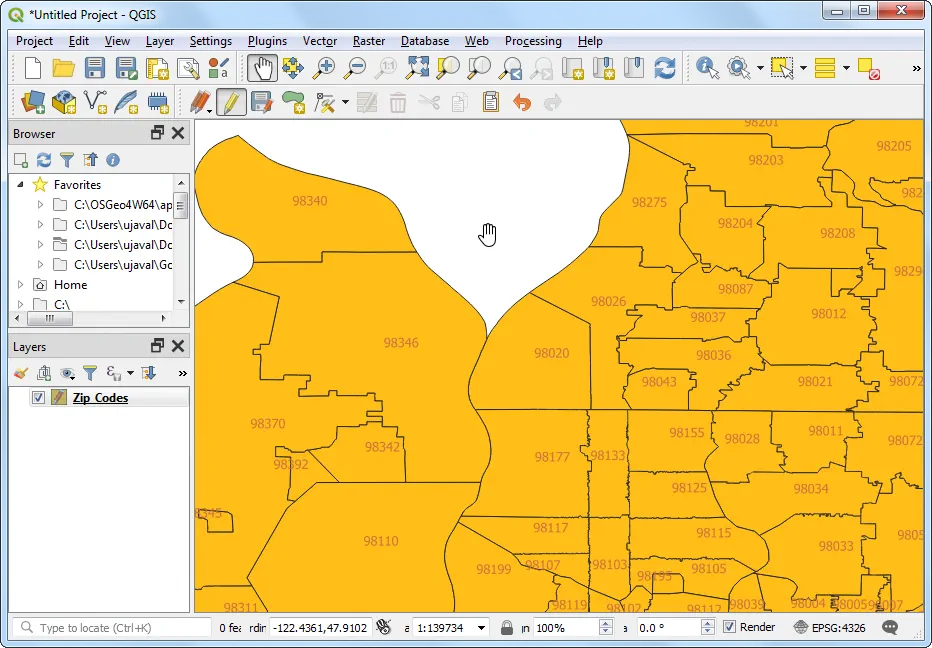
Below is the Zip Codes shapefile from the City of Seattle Open Data Portal. Our task is to add another field which contains all neighboring zip codes for each feature. Note the layer name is Zip_Codes
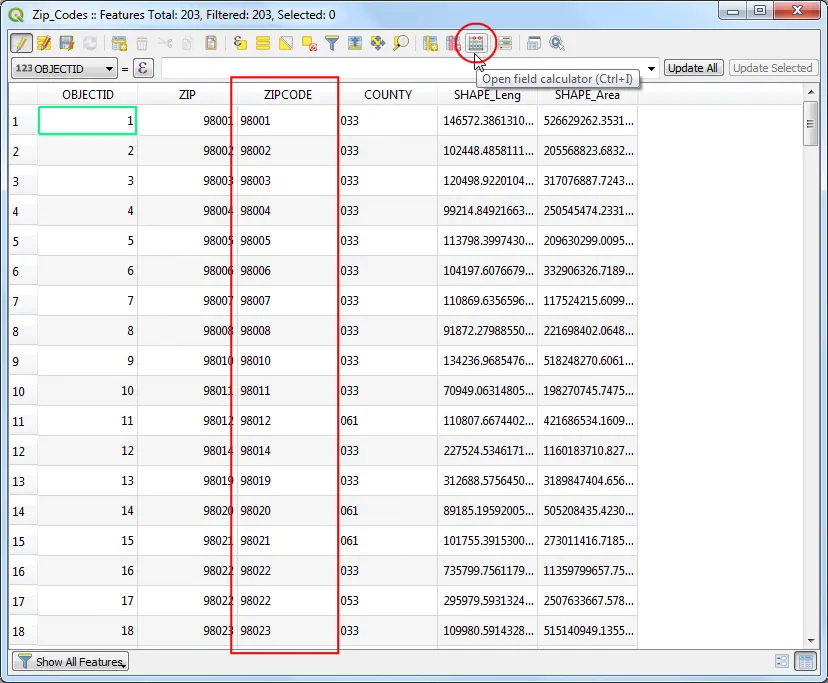
Open the Attribute Table for the layer. Note the field name containing the 5-digit zip code is ZIPCODE . Open Field Calculator.
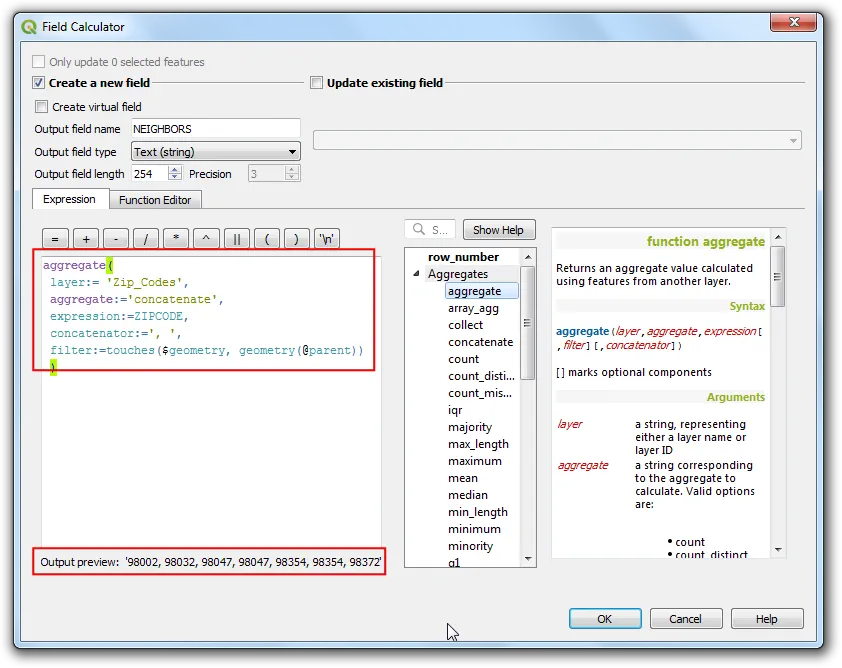
Create a new field with the following expression. The key here is the spatial filter intersects($geometry, geometry(@parent)) that finds all polygons from the layer that intersect the feature being processed.
aggregate(
 layer:= 'Zip_Codes',
 aggregate:='concatenate',
 expression:=ZIPCODE,
 concatenator:=', ',
 filter:=intersects($geometry, geometry(@parent))
 )
Note: If you are not getting accurate results, try the following
- Add a small buffer to the geometry. Change the filter statement to something like filter:=intersects($geometry, buffer(geometry(@parent), 1)) where 1 is the distance in the units of your layer’s CRS. Change it to an appropriate small number for your CRS units.
- Instead of aggregating using the same layer, duplicate the layer by right-clicking the layer and selecting ‘Duplicate’. And when running the aggregate function, use the duplicate layer name instead of the original layer.
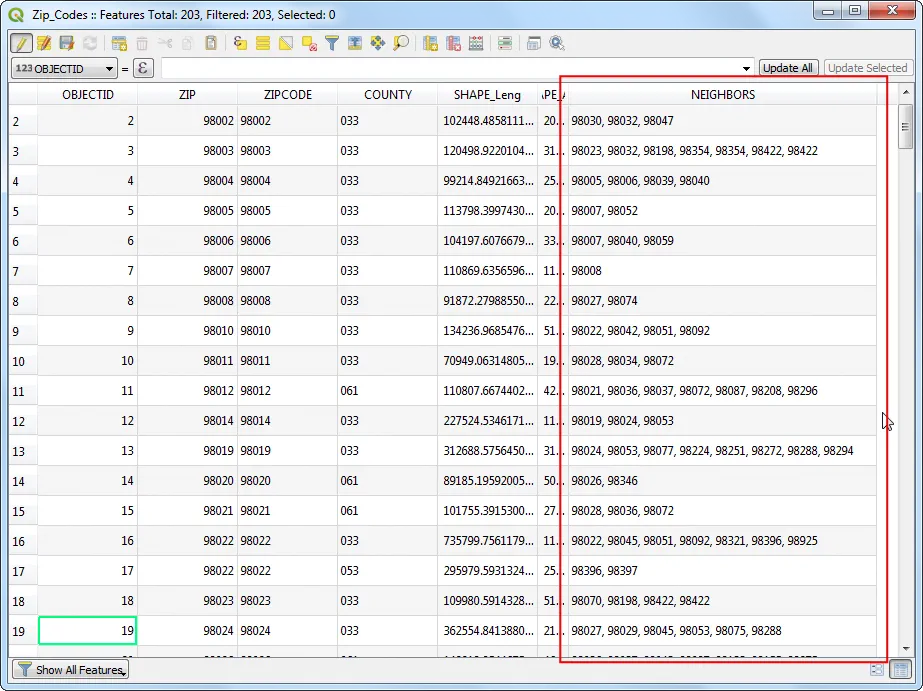
You will now have a new field that has the neighbors zip codes for every feature in the layer!
The concatenate aggregate expects strings as inputs, so if the field you are trying to aggregate is not a string, you will get an error. To use integer fields with concatenate, you must first convert it to a string using the built-in conversion function to_string(). If the ZIPCODE field was of integer type, you can use it as following
aggregate(
 layer:= 'Zip_Codes',
 aggregate:='concatenate',
 expression:=to_string("ZIPCODE"),
 concatenator:=', ',
 filter:=intersects($geometry, geometry(@parent))
 )
There are many type of aggregate that you can use. If you want to count numbering zip codes, you can use the count aggregate instead of concatenate. The following expression would calculate the number of neighboring polygons.
aggregate(
 layer:= 'Zip_Codes',
 aggregate:='count',
 expression:=$id,
 filter:=touches($geometry, geometry(@parent))
 )
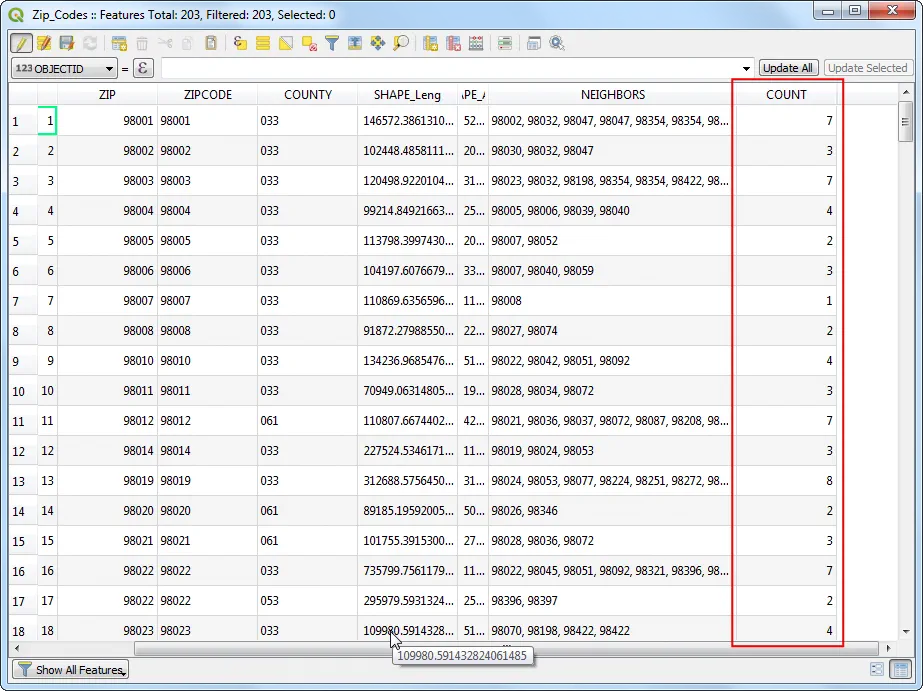
Read Part-2 of this post to learn how to calculate shared border length between neighbor polygons.
Comments